


TL;DR
Mage-OS is a free, community driven, drop in alternative to Magento Open Source. To install it, you download the project using Composer, run the installer to connect your database and search engine, then compile and deploy your storefront. If you already run Magento 2.4.8 or later, you can switch over using the official migration script instead of starting fresh. The full process takes most developers under an hour once the server meets the requirements below.
Introduction
MageOS has become the go to choice for merchants who want Magento’s flexibility without Adobe’s licensing weight. It is open source, backward compatible, and maintained by a community of agencies and developers who ship security patches within days of Adobe’s Patch Tuesday releases.
This guide walks through every step of the MageOS installation, from checking your server requirements to running your first storefront page. Whether you are starting a new store or migrating an existing Magento 2 site, you will find the exact commands you need below.
Also Read the our latest published article on :
- What is MageOS? The Complete Guide to the Community Driven Open Source Commerce Platform
- 10 Best Magento Web Development Agencies & Companies in 2026
- Top 5 Best Magento Development Agencies in the USA (2026)
What is MageOS?

Mage-OS is an open initiative to ensure the accessibility, longevity, and success of the Magento® platform and ecosystem. It includes an eCommerce product.
MageOS (or Mage-OS) is an independent, community-driven distribution of Magento Open Source. Created as a fork, it is managed and governed by the non-profit Mage-OS Association to provide faster security updates, modernize the technical stack, and remove dependencies on Adobe credentials.
In other terms MageOS is an open source ecommerce platform built as a fork of the Magento core. It is maintained as an independent, nonprofit distribution that is not affiliated with Adobe or Magento. The code remains fully compatible with the wider Magento ecosystem, meaning existing themes, extensions, and integrations continue to work.
System Requirements
Before you install MageOS, confirm your server meets these minimum requirements. The latest Mage-OS release also supports newer PHP versions for better performance.
| Requirement | Minimum | Recommended |
|---|---|---|
| PHP | 8.3 | 8.5 |
| Composer | 2.7+ | 2.9.3+ |
| Database | MySQL 8.0+ or MariaDB 10.6+ | MySQL 8.4 or MariaDB 11.4 |
| Search Engine | OpenSearch 2+ | OpenSearch 2.19 |
| Operating System | Linux | Linux (production required; macOS and Windows via WSL2 for local development only) |
Did You Know?
Mage-OS is a 100% community-owned, open-source e-commerce platform. It is a direct evolution and upstream-compatible alternative to Magento Open Source.
A few notes worth flagging before you start:
- Production deployments require Linux. macOS and Windows are suitable for local development only, typically through WSL2 or Docker based tools like DDEV or Warden.
- Elasticsearch is being phased out across the Magento ecosystem. OpenSearch is the recommended search engine for new Mage-OS installs.
- Always verify your PHP extensions before installing. Missing extensions are one of the most common causes of failed installations.
Step 1: Download the Mage-OS Project
Open your terminal and navigate to your project directory. Run this Composer command to download the Community Edition:
composer create-project --repository-url=https://repo.mage-os.org/ mage-os/project-community-edition
This pulls the latest stable MageOS release along with all required dependencies. Depending on your connection speed, this step typically takes a few minutes.
Step 2: Run the MageOS Installer
Once Composer finishes, run the setup command to connect your database, configure your search engine, and create your admin account.
					bin/magento install \
  --base-url=http://yourdomain.com \
  --db-host=localhost \
  --db-name=mageos_db \
  --db-user=db_user \
  --db-password=db_password \
  --admin-firstname=Admin \
  --admin-lastname=User \
  --admin-email=admin@example.com \
  --admin-user=admin \
  --admin-password=SecurePassword123 \
  --search-engine=opensearch \
  --opensearch-host=localhost \
  --opensearch-port=9200
Prefer a guided setup instead of passing every flag manually? Run bin/magento install on its own to launch the interactive command line wizard.
A few practical tips here:
- Use a strong, unique admin password. Weak credentials are still one of the top causes of store compromise.
- Double check your base-url value. An incorrect base URL will break asset loading and checkout once the install completes.
- If the installer fails, the error message almost always points to a missing PHP extension or a database connection issue. Check both before retrying.
Step 3: Compile and Deploy
After installation completes, build the dependency injection and deploy your static files so the storefront renders correctly.
					bin/magento setup:upgrade
bin/magento setup:di:compile
bin/magento setup:static-content:deploy -f
bin/magento cache:flush
Run these commands in order. Skipping setup:di:compile is one of the most common reasons developers see a blank or broken storefront after a fresh install.
Migrate your Luma Based theme to Hyva theme with 100% SEO migration !
Migrate your Luma theme to Hyvä with complete design and functionality preservation for faster performance and a better user experience.
Migrating From an Existing Magento 2 Store
If you already run Magento 2.4.8 or later, you do not need to start over. Mage-OS is designed as a drop in replacement, and the community maintains an official migration script that handles the switch for you.
bash <(curl -s https://raw.githubusercontent.com/mage-os-lab/migrate-m2-to-mageos/refs/heads/main/migrate-to-mage-os.sh)
Run this only in developer mode, on a local or staging environment first. Once you confirm the migration runs clean, repeat the process on production during a planned maintenance window.
Top 4 MageOS Common Installation Issues and Fixes
- Installer halts with missing extension errors
Check your installed PHP extensions with php -m and compare against the required list. Install any missing extensions through your server’s package manager, then rerun the installer. - Search catalog returns no results after install
This usually means OpenSearch is not running or the host and port values in your install command do not match your OpenSearch configuration. Confirm the service is active before reinstalling. - Storefront loads with broken styling
This points to a skipped or failed setup:static-content:deploy step. Rerun the command with the -f flag to force a clean deployment. - Composer download fails or times out
Confirm your server has a stable outbound connection and that Composer is updated to at least version 2.7. Run composer self-update if you are unsure of your current version.
Why Work With iCreative Technologies for Your Mage-OS Project
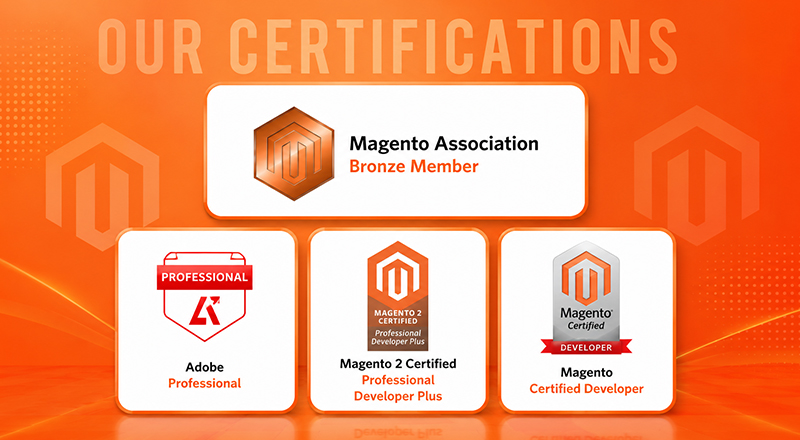
iCreative Technologies was among the earliest agencies to adopt MageOS for client projects, giving our team hands-on experience with the platform well ahead of the broader market. We are also a certified Hyvä Theme Technical Bronze Partner, which means every MageOS storefront we build is fast, lightweight, and built on a theme architecture designed for long term performance.
As Leading Magento Web Development Services Agency in the USA and as a global digital partner serving eCommerce brands across 12+ countries, we bring the same standard to every engagement, whether a client is migrating an existing Magento store to Mage-OS or launching fresh.
Our team has delivered 2,000+ projects across Magento, Mage-OS, Shopware, Shopify Plus, and PrestaShop, backed by CMMI Level 3 and ISO 9001 certifications.
If you are evaluating MageOS for your store, or planning a migration from Magento, our team can help you scope the project, handle the technical migration, and build a Hyvä powered storefront designed for speed and conversion.
Download MageOS in Minutes!
Ready to start your next project? Download the latest version of Mage-OS from the official Mage-OS download page below.
Frequently Asked Questions About MageOS install
Yes. Mage-OS is fully open source and free, with no licensing fees, unlike Magento Commerce or Adobe Commerce.
Yes. The official migration script is built specifically to switch an existing Magento 2.4.8+ store to Mage-OS while keeping your data, extensions, and theme intact.
Yes. Mage-OS maintains backward compatibility with Magento extensions and themes, including Hyvä.
For a developer familiar with Magento, a fresh install typically takes 30 to 60 minutes, not counting server provisioning.
es, Mage OS is completely free and open source
A global community of developers, agencies, and merchants
contribute to Mage OS, overseen by the nonprofit Mage OS Association.
Mage OS is built to remain compatible with the
broader Magento ecosystem, and many stores running Hyvä on Magento 2 can run it on
Mage OS as well, though it is worth confirming compatibility for your specific setup.