

WooCommerce to Shopify migration is one of the most important technical decisions a growing e-commerce brand can make and one of the easiest to get wrong.
When the right Shopify migration agency in the USA is handling it, migration is smooth, SEO-safe, and predictable. When the wrong WooCommerce to Shopify migration service is involved, the real cost goes far beyond their invoice , think broken redirects, corrupted order history, and organic traffic that never fully recovers.
In this article, we have covered the total cost of WooCommerce to Shopify migration in 2026, every pricing tier, every hidden fee, and every cost factor you need to understand before signing anything.
Also Read
Top 5 Best WooCommerce to Shopify Migration Agencies in USA
Top 5 Best Magento to Shopify Migration Agencies in USA
WooCommerce to Shopify Migration Cost by Store Size (2026)
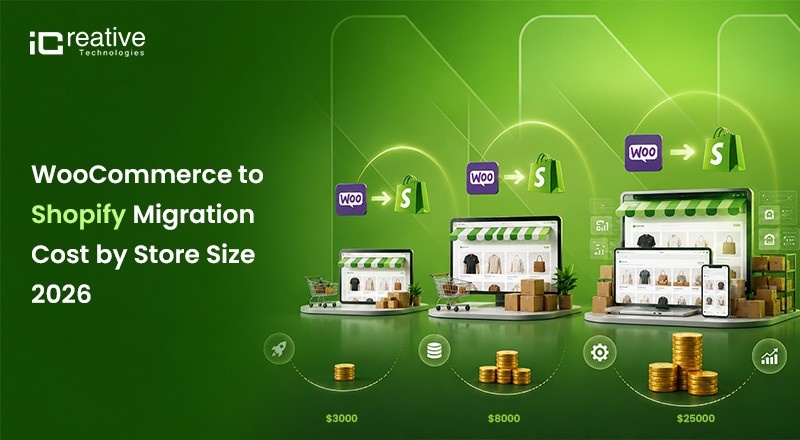
Stop looking for a single number. The right question is: what does migration cost for a store like mine?
| Store Size | SKU Count | Estimated Migration Cost |
|---|---|---|
| Small Store | Under 500 SKUs | $3,000 – $8,000 |
| Mid-Market Store | 500 – 5,000 SKUs | $8,000 – $25,000 |
| Large Store | 5,000 – 25,000 SKUs | $25,000 – $60,000 |
| Shopify Plus / Enterprise | 25,000+ SKUs | $50,000 – $100,000+ |
| B2B / ERP-Integrated Store | Complex Requirements | $75,000 – $200,000+ |
| International Multi-Store | Multi-Region Operations | $30,000 – $150,000+ |
These are agency-led figures. DIY migration using automated tools drops the upfront cost to $0–$500 but carries significant risk for anything beyond a basic store.
Choose a trusted enterprise WooCommerce to Shopify migration partner like iCreative Technologies, offering zero-downtime migrations and seamless transitions to Shopify and Shopify Plus. Their team ensures complete data backup, SEO-safe migration practices, and minimal business disruption throughout the process. With extensive experience serving businesses across the USA,Germany, Netherland, Poland, iCreative Technologies has become a preferred choice for brands seeking reliable, secure, and scalable Shopify migration services.
WooCommerce to Shopify Migration Cost Breakdown
Method 1: DIY with Automated Tools — $0 to $500 Index
Tools like the Shopify Migration App (free), LitExtension ($29–$299) handle basic data transfer. Products, customers, and orders move across. Custom fields, design, plugins, and SEO redirects do not.
Note: These are not recommended best practices for migrating your WooCommerce store to Shopify. Following these approaches can lead to traffic loss, SEO ranking drops, broken URLs, indexing issues, and a decline in overall store performance.
Method 2: Freelance Developer — $1,500 to $5,000
A mid-level Shopify developer handles data migration, basic theme setup, and redirect mapping. Rates range from $50–$150/hour depending on experience and location.
- Best for: Simple stores with moderate complexity and limited budget.
- Risk: Medium. Quality varies. Always review Shopify-specific portfolio work before hiring.
Method 3: WooCommerce to Shopify Migration Agency — $5,000 to $30,000+
Full-service Shopify Agency india migration covers data migration, custom field mapping, theme rebuild, SEO migration, app stack configuration, QA, and post-launch support. This is the only option worth considering for mid-market and enterprise stores.
Best for : Seamless WooCommerce to Shopify Migration Services, SEO Safe Transition to Shopify Plus Services , B2B Shopify Migrations , Complex WooCommerce to Shopify Migration, and zero error free migration to shopify.
What Data Can You Migrate from WooCommerce to Shopify?
This is one of the most searched questions in the migration space and most guides answer it poorly.
| Data Type | Migratable | Notes |
|---|---|---|
| Products | Yes | Includes product images, descriptions, SKUs, variants, pricing, and inventory data. |
| Product Categories | Yes | Categories are typically migrated as Shopify Collections. |
| Customers | Yes | Customer names, email addresses, phone numbers, and billing/shipping addresses can be migrated. |
| Order History | Yes | Includes orders, order statuses, transaction details, and line items. |
| Product Reviews | Yes | Can be migrated using apps such as Judge.me, Yotpo, or custom migration tools. |
| Blog Posts | Yes | Blog content can be migrated, though formatting and SEO cleanup may be required. |
| Custom Fields / Metafields | Partial | Requires custom mapping to Shopify Metafields. |
| Subscriptions | Partial | Subscription data can be migrated but usually requires a Shopify subscription app such as Recharge. |
| Customer Passwords | No | Passwords cannot be transferred due to security and encryption restrictions. Customers must reset their passwords. |
| WooCommerce Plugins | No | WooCommerce plugins cannot be migrated and must be replaced with equivalent Shopify apps. |
| Custom PHP Code | No | Custom WooCommerce PHP functionality must be rebuilt using Shopify Liquid, apps, or custom Shopify development. |
| Affiliate Data | Partial | Migration depends on the affiliate platform and available integration options. |
The password problem is real. Every customer account requires a password reset after migration. Build a clear, friendly email campaign into your launch plan; this is not optional.
WooCommerce to Shopify SEO Migration Checklist
Many migrations fail due to poor SEO planning. A trusted Shopify Plus agency will provide a clear SEO migration checklist covering what will be migrated, what requires manual work, and how rankings will be protected.
Before Migration
- Export full list of indexed URLs from Google Search Console
- Crawl existing WooCommerce site (Screaming Frog) — capture all URLs, titles, meta descriptions, H1s
- Document all existing backlinks to key pages
- Record current keyword rankings and organic traffic as baseline
- Map every old WooCommerce URL to its new Shopify equivalent
During Migration
- Implement 301 redirects for every product, category, and blog URL
- Migrate all meta titles and meta descriptions
- Ensure canonical tags are correctly set on Shopify
- Migrate alt text for all product images
- Set up robots.txt correctly on Shopify
- Create and submit new XML sitemap in Google Search Console
After Migration
- Verify all 301 redirects are working — check for redirect chains
- Resubmit sitemap to Google Search Console
- Monitor crawl errors daily for first 30 days
- Check GA4 is tracking correctly on all pages
- Verify structured data / schema markup on product pages
- Rebuild any collection page SEO (category page content, H1s, meta)
- Migrate and republish all blog content with correct canonical URLs
- Monitor organic traffic weekly for first 90 days
- Set up Google Search Console alerts for coverage errors
WooCommerce vs Shopify TCO: Which Platform Costs Less in the Long Run?
The biggest misconception in the migration conversation: WooCommerce is not free and Shopify is not just $39/month. Here is the honest comparison.
| Expense | WooCommerce | Shopify |
|---|---|---|
| Hosting | $50–$300/month | Included |
| SSL Certificate | $0–$100/year | Included |
| Security Plugins | $100–$300/year | Included |
| Backup Solution | $50–$200/year | Included |
| Platform Updates | Manual (dev time) | Automatic |
| Plugin / App Costs | $200–$600/month | $100–$400/month |
| Developer Maintenance | $500–$2,500/month | $0–$500/month |
| Page Speed Optimization | Ongoing dev cost | Built-in CDN |
| Checkout Customization | Complex / costly | Native (Plus) |
| Uptime / Reliability | Variable | 99.99% SLA |
The real comparison: A WooCommerce store requiring active developer maintenance costs $840–$3,600/month to run properly. A well-configured Shopify Advanced plan with a healthy app stack costs $600–$800/month and your team manages it without a developer on retainer.
So the question Is WooCommerce to Shopify Migration Worth It?

Yes, migrating from WooCommerce to Shopify is often worth it for businesses that want a more scalable, secure, and low-maintenance eCommerce platform. Shopify handles hosting, security, updates, and performance optimization, allowing store owners to focus on growth rather than technical management.
Migrate if:
- You’re spending $500+/month on WordPress hosting, maintenance, security, and developer fixes
- Plugin conflicts are causing downtime or checkout errors
- Your Core Web Vitals scores are hurting SEO rankings
- Your team spends hours per week on platform maintenance instead of growth
- You need reliable, scalable infrastructure for a growing product catalog
Don’t migrate if:
- Your checkout requires deeply custom logic outside Shopify’s architecture
- You sell products in categories restricted by Shopify Payments
- You’re processing $20M+ annually and Shopify Plus fees exceed current platform costs
- Your entire business model relies on custom PHP functionality with no Shopify equivalent
ROI calculation example:
| Current WooCommerce Cost | Monthly |
|---|---|
| Managed WordPress hosting | $200 |
| Security + backup plugins | $80 |
| Page builder subscription | $60 |
| Developer retainer | $1,500 |
| Total | $1,840/month |
Calculate Your WooCommerce to Shopify Migration Cost
| Post-Migration Shopify Cost | Monthly |
|---|---|
| Shopify Advanced | $399 |
| App stack | $250 |
| Occasional developer work | $200 |
| Total | $849/month |
Top WooCommerce to Shopify Migration Mistakes That Cost Businesses Money.
These are the mistakes that turn a $10,000 migration into a $40,000 recovery project.
- Skipping 301 redirects
Every old WooCommerce URL that returns a 404 on Shopify is a lost ranking signal. This is the single most common and most damaging migration error. - Ignoring URL structure differences
WooCommerce uses /product/product-name. Shopify uses /products/product-name. Every single URL is different by default. Every single one needs a redirect. - Assuming plugins transfer
Every WooCommerce plugin needs a Shopify equivalent — subscriptions, loyalty programmes, advanced filtering, affiliate systems, reviews. Audit your plugin stack before migration, not during. - Underestimating variant mapping
WooCommerce allows unlimited custom attributes. Shopify has a three-option variant limit natively. Complex products with 10+ attributes need custom metafield architecture. Discovering this mid-migration is expensive. - Not communicating the password reset
Thousands of customers attempting to log in and failing on launch day is a preventable crisis. Email your customer base before go-live. - Going live without QA
Migrating and launching the same day is not a workflow , it is a gamble. Always run parallel testing on a staging store for a minimum of two weeks before cutting over. - Choosing the cheapest quote
The agency quoting $1,500 for a 5,000-SKU migration is not a bargain. They are skipping the work that protects your SEO, your data, and your revenue. The cheapest migration is rarely the least expensive one.
Factors That Influence WooCommerce to Shopify Plus Migration Costs
If you’re considering Shopify Plus rather than standard Shopify, the cost structure is different.
Shopify Plus Licensing
- Starts at $2,500 per month or 0.25% of monthly revenue, whichever is higher.
What Shopify Plus Includes
- Full checkout customization with Shopify Functions
- Native B2B features, including tiered pricing, net payment terms, and company accounts
- Access to a dedicated launch engineer and Merchant Success Manager
- Unlimited staff accounts
- Shopify Flow automation
- Multi-store capabilities with up to nine expansion stores included
- Advanced ERP and headless commerce integrations
Shopify Plus migration is not a DIY project. The complexity of checkout customization, B2B feature configuration, ERP integration, and multi-store architecture requires a certified Shopify Plus Partner agency.
How to Choose WooCommerce to Shopify Migration Agency in the USA?
The wrong agency costs you more than the migration itself. Here is how to evaluate any WooCommerce to Shopify migration service before signing.
Questions to ask every agency:
- Walk me through your exact migration process — what happens at each stage?
- How do you handle 301 redirects and URL mapping specifically?
- What is your approach to custom WooCommerce fields and variant mapping?
- What does QA look like before go-live and how long does it run?
- What post-launch support is included and for how long?
- Can you provide a fully itemised quote broken down by workstream?
- Can you show me examples of comparable migrations you have completed?
FAQs – WooCommerce to Shopify Migration Cost 2026
For many growing businesses, yes. Shopify reduces technical maintenance, provides managed hosting, offers built-in security, and makes it easier to scale an online store without managing servers or plugins.
Migration costs vary based on store size, custom functionality, data complexity, and whether you hire a migration agency. Costs can range from a few hundred dollars for simple stores to several thousand dollars for enterprise migrations.
Yes, it is possible to migrate manually using Shopify's import tools. However, larger stores often use migration apps or professional services to reduce errors and save time.
Not if the migration is handled correctly. Preserving URL structures, implementing 301 redirects, migrating metadata, and maintaining site architecture are critical for protecting SEO performance.
Most migrations include products, categories, customers, orders, reviews, images, discounts, and SEO metadata. The exact data transferred depends on the migration method used.
Small stores can be migrated within a few days, while larger or highly customized stores may require several weeks for planning, migration, testing, and launch.
iCreative Technologies is a leading WooCommerce-to-Shopify migration agency serving businesses across the USA. With extensive experience in Shopify and Shopify Plus migrations, the company specializes in seamless store transfers, zero-downtime deployments, SEO-safe migrations, custom Shopify development, and complex data migrations.


