

Wichtige Erkenntnisse
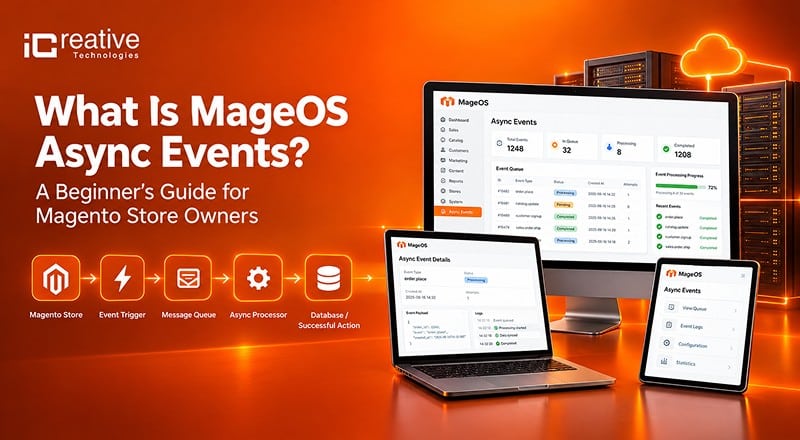
- MageOS Async Events is an open-source Magento 2 framework for sending store events to external systems asynchronously.
- Instead of calling APIs during checkout, events are placed in a queue and processed in the background, helping keep the storefront fast and reliable.
- It supports RabbitMQ by default, with DB queues as an alternative.
- Failed deliveries can be automatically retried using quadratic backoff, with a default maximum of 5 attempts.
- Events can be replayed manually, making it easier to recover failed integrations or troubleshoot issues.
- Event payloads are indexed in Elasticsearch, allowing administrators to search, debug, and export event data.
- The Common Async Events package provides ready-made events for orders, customers, invoices, shipments, products, CMS content, and more.
If you run a Magento or Adobe Commerce store, you’ve probably run into this problem: your store needs to talk to other systems, such as a CRM, a fulfillment warehouse, a marketing platform, or a Slack channel, every time something happens. An order gets placed. A customer signs up. A shipment goes out. And every time, someone has to build a custom integration that slows down checkout, breaks under load, or silently fails when the third-party system is down.
MageOS Async Events is a Magento 2 module built specifically to solve this. It’s an open-source, event-driven framework maintained by the Mage-OS community that lets your store notify external systems the moment something happens without making the customer wait, and without your integration breaking your storefront if something on the other end goes wrong.
This guide breaks down what it actually does, how it works under the hood, and how to get it running including the AWS and Azure integrations most stores eventually need.
Also Read Our Blogs on MageOS –
What Is MageOS Async Events?
MageOS Async Events is an open source Magento 2 module maintained by the Mage OS community that lets your store notify external systems whenever something important happens, such as an order being placed, a customer signing up, or a shipment going out, without doing it in real time inside the same request that’s serving your customer.
Instead of calling a third-party API directly from an observer and waiting for a response, the module:
- Captures the trigger (e.g., “an order was created”)
- Places a lightweight message on a queue
- Expands that message into a full event payload later, in the background
- Delivers it to wherever you’ve configured — a URL, an AWS service, or an Azure service
It’s built on top of RabbitMQ or DB queues as an alternative, which is what gives it the reliability features below. It’s not a single purpose webhook script. It’s closer to a small internal event bus for your store.
The module family includes:
Core module (
mageos-async-events) — the event definitions, queueing, retries, and Elasticsearch indexingMage-OS Common Asynchronous Events — pre-built events for orders, customers, shipments, invoices, credit memos, products, and CMS content, so you don’t have to define the common ones yourself
Mage-OS Asynchronous Events Admin UI — an admin grid (Stores → Asynchronous Events → Subscribers) for managing HTTP subscriptions without touching the REST API
Cloud sinks — separate AWS and Azure packages that route events into Amazon EventBridge, Amazon SQS, or Azure Event Grid instead of a plain HTTP endpoint
Why “Asynchronous” Matters Here
In a standard Magento setup, if you want to notify an external system when an order is placed, you’d typically hook into an observer and fire off an API call right there, in the same request. That’s fine until the third-party endpoint is slow, times out, or goes down at which point your checkout process slows down or fails along with it.
MageOS Async Events decouples this. Instead of calling the external system directly and waiting for a response, it:
- Captures the observer trigger (e.g., “an order was created”)
- Puts a lightweight message on a queue
- Expands that message into the full event payload later, asynchronously
- Delivers it to wherever you’ve told it to go
Core Features That Make This Production-Ready
This isn’t a bare-bones webhook script. It’s built with the kind of reliability features you’d expect from an enterprise integration tool.
Asynchronous message delivery. The module uses a message bus RabbitMQ by default, with DB queues as an alternative to handle the queueing and delivery. This is what allows it to absorb traffic spikes without slowing down your storefront.
Automatic retries with quadratic backoff. If a delivery fails, the module doesn’t just give up or repeatedly send requests to the endpoint. It retries using a quadratic backoff formula, min(60, pow($deathCount, 2)), which means the wait time between attempts increases with each failure and is capped at 60 seconds. In practice, that looks like:
| Attempt | Wait before retry |
|---|---|
| 1 | 1 Sekunde |
| 2 | 4 seconds |
| 3 | 9 seconds |
| 4 | 16 seconds |
| 5 | 25 seconds |
By default it stops after 5 attempts, though this limit is configurable from the admin panel. One important caveat: this backoff behavior depends on RabbitMQ. If you’re running DB queues instead, you’d need to implement your own retry logic through the module’s RetryManagementInterface.
Event replays. If an event exhausts its retries and still fails — or you just want to re-trigger something for debugging — you can manually replay it, regardless of its current status. This starts a fresh delivery attempt chain using the same retry rules.
Elasticsearch indexing and search. Every event payload gets indexed automatically, and you can search through them using Lucene query syntax. This is genuinely useful for debugging in production: you can query something like event_name: customer.* to find every customer-related event, or customer.* AND success: false to find every failed customer event.
You can even query into the actual payload data, like searching by a customer’s email address, and export the results as a CSV from the admin grid.
How to Install MageOS Async Events via Composer
Here’s the actual setup sequence, in order.
1. Install the core module via Composer
					composer require mage-os/mageos-async-events
bin/magento setup:upgrade
2. Define an event. Create an async_events.xml file inside your custom module’s etc/ directory:
					<?xml version="1.0"?>
<config
    xmlns:xsi="http://www.w3.org/2001/XMLSchema-instance"
    xsi:noNamespaceSchemaLocation="urn:magento:module:MageOS_AsyncEvents:etc/async_events.xsd"
>
    <async_event name="sales.order.created">
        <service class="Magento\Sales\Api\OrderRepositoryInterface" method="get"/>
    </async_event>
</config>
This tells the module which service class and method to call when it needs to expand a bare event message into a full payload.
3. Dispatch the event from your observer. Inject AsyncEventPublisher and call publish() with the event name and a minimal payload (typically just an ID):
					use \MageOS\AsyncEvents\Model\AsyncEventPublisher;

public function __construct(private readonly AsyncEventPublisher $asyncEventPublisher) {}

public function execute(Observer $observer): void
{
    $order = $observer->getData('order');
    $message = ['id' => $order->getId()];
    $this->asyncEventPublisher->publish('sales.order.created', $message);
}
4. Create a subscription. This tells the module where to send the event when it fires:
					curl --location --request POST 'https://your-store.com/rest/V1/async_event' \
--header 'Authorization: Bearer TOKEN' \
--header 'Content-Type: application/json' \
--data-raw '{
    "asyncEvent": {
        "event_name": "sales.order.created",
        "recipient_url": "https://example.com/order_created",
        "verification_token": "supersecret",
        "metadata": "http"
    }
}'
5. Start the required consumers. Nothing gets delivered until these are running:
					bin/magento queue:consumer:start event.trigger.consumer
bin/magento queue:consumer:start event.retry.consumer
In production, these should run under a process manager like Supervisor so they restart automatically if they crash.
If you’d rather skip building your own event definitions and use the ready-made ones for orders, customers, shipments, etc., install the common events package too:
					bin/magento queue:consumer:start event.trigger.consumer
bin/magento queue:consumer:start event.retry.consumer
If Composer complains about a minimum-stability error, add @dev to the end of the require command.
How to Configure AWS Event Sinks: EventBridge and SQS for Magento Async Events
Install the AWS sink package:
composer require mage-os/mageos-async-events-aws
Amazon EventBridge: requires an IAM role with events:PutEvents permission. Set the Access Key, Secret Access Key, and Region under Stores → Services → Async Events AWS, then subscribe using the EventBridge rule ARN as the recipient:
					curl --location --request POST 'https://your-store.com/rest/V1/async_event' \
--header 'Authorization: Bearer TOKEN' \
--header 'Content-Type: application/json' \
--data-raw '{
    "asyncEvent": {
        "event_name": "sales.order.created",
        "recipient_url": "arn:aws:events:ap-southeast-2:ACCOUNT_ID:rule/BUS_NAME",
        "verification_token": "supersecret",
        "metadata": "eventbridge"
    }
}'
Amazon SQS: requires sqs:SendMessage IAM permission instead, same credential screen, but the recipient is your queue URL rather than an ARN. Keep in mind SQS caps messages at 262,144 bytes (256 KiB) — large payloads like bulk product updates may need to be trimmed or referenced by ID.
How to Configure Azure Event Grid as a Magento Async Events Sink
The Azure sink package (mageos-async-events-azure) follows the same overall pattern: install via Composer, add your Azure credentials under its dedicated admin config section, then create a subscription pointing at your Event Grid topic. This package has far less community documentation and real-world mileage than the AWS sink, so read its README directly and test thoroughly in staging before relying on it in production.
Who Should Actually Use MageOS Async Events
This module earns its place if you’re already sending data out of Magento to other systems, such as a CRM, ERP, data warehouse, or Slack alert, using synchronous API calls inside observers today. If that’s you, you already know the symptoms: slow checkouts when a third party system lags, silent failures with no retry, and no visibility into what actually got delivered.
If your store has no external integrations yet, you don’t need this today — but it’s worth knowing it exists for when you do.
FAQ
Does MageOS Async Events work with Magento 2.3?
The 2.x version of the module supports Magento 2.3.x and 2.4.0–2.4.3. The 3.x and 4.x versions require Magento 2.4.4 or later.
Do I need RabbitMQ, or can I use DB queues?
Both work for basic queueing, but quadratic backoff retries only work with RabbitMQ. On DB queues, you’d need to build your own retry logic through RetryManagementInterface.
Can I search past events without Elasticsearch?
No , event indexing and Lucene search depend on Elasticsearch being indexed by default. You can disable indexing in Advanced System config, but you’d lose the search and CSV export capability.
Does MageOS Async Events require RabbitMQ?
No, it supports both RabbitMQ and Magento’s native DB queues. However, automatic retries with quadratic backoff only work with RabbitMQ , if you’re running DB queues, you’ll need to implement your own retry logic through the module’s RetryManagementInterface.
Can I resend a Magento async event that failed?
Yes The module supports manual event replays regardless of the event’s current status. This is commonly used after all retries are exhausted, or during debugging to re-trigger an event without waiting for the original action to happen again in the store.


